Download Purslane RustDesk 1.4.9 for Mac, free, latest full version, standalone offline DMG setup. RustDesk for macOS is a free, open-source remote desktop application that lets you securely access and control any computer over the internet or a local network — with no subscription fee and full self-hosting support.
RustDesk 1.4.9 for macOS Overview
Remote desktop software has existed for decades, but most of the well-known options come with a catch — a monthly subscription, a per-seat fee, or a limit on how many connections you can have before the bill starts climbing. RustDesk was built specifically to remove that barrier. It is a fully free, open-source remote desktop tool developed by Purslane Limited that gives you the same core functionality as TeamViewer or AnyDesk without the cost.
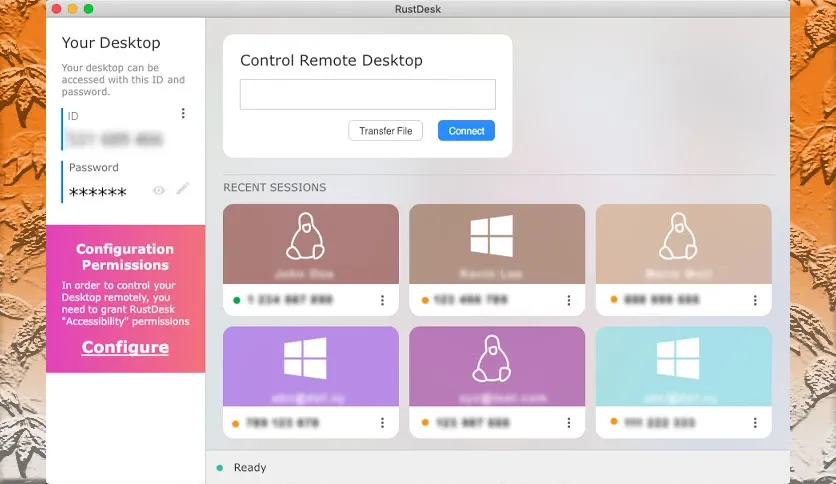
The way it works is straightforward. You install RustDesk on any two devices, and each gets assigned its own ID and temporary password. To start a session, you enter the remote device’s ID, authenticate with the password, and gain full control of the screen — mouse, keyboard, everything — in seconds. There is no complicated configuration, no account creation required, and no trial period. It simply works out of the box. If you are comparing options, you may also want to look at AnyDesk for Mac, which follows a similar model but with a commercial infrastructure behind it.
Self-Hosting and Privacy
The feature that separates RustDesk from every major competitor is self-hosting. Every mainstream remote desktop service routes your session through its own servers. This means the company’s infrastructure sits between you and the device you are connecting to, which raises legitimate questions for businesses dealing with sensitive data, regulated industries, or strict internal IT policies. RustDesk lets you cut that middleman out entirely. You can deploy your own RustDesk server — on a VPS, a local machine, or your own cloud infrastructure — and route all of your connections through it. Your session data never touches Purslane’s servers. For teams with strict data compliance requirements, this is not just a nice feature; it is often the deciding factor.
Cross-Platform and Ease of Use
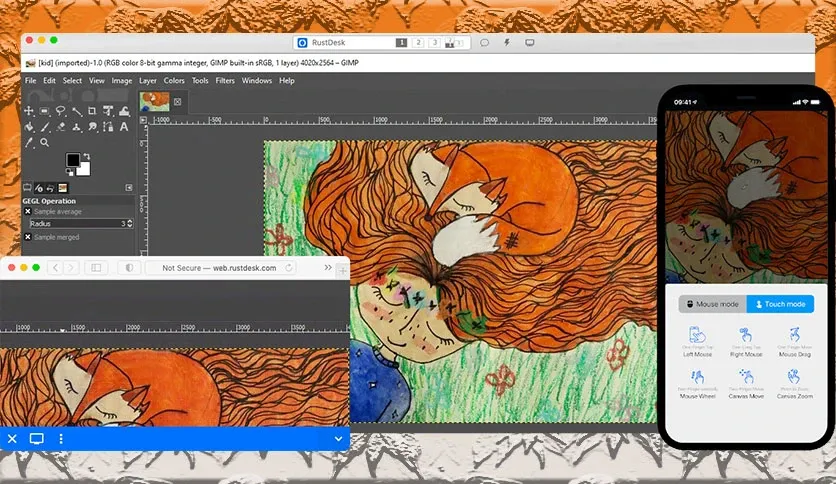
RustDesk runs on macOS, Windows, Linux, iOS, and Android, and connections work across any combination of those platforms. You can connect from your Mac to a Windows machine at the office, or let a colleague on Android view your Mac remotely for support — all using the same app and the same interface. The Mac version uses the same clean, minimal layout as every other platform. When you open the app, your device ID and current password are immediately visible. You enter a remote ID to initiate a connection. The whole process takes under a minute from cold start to active session. There is no learning curve steep enough to require documentation for most users.
Unattended Access and File Transfer
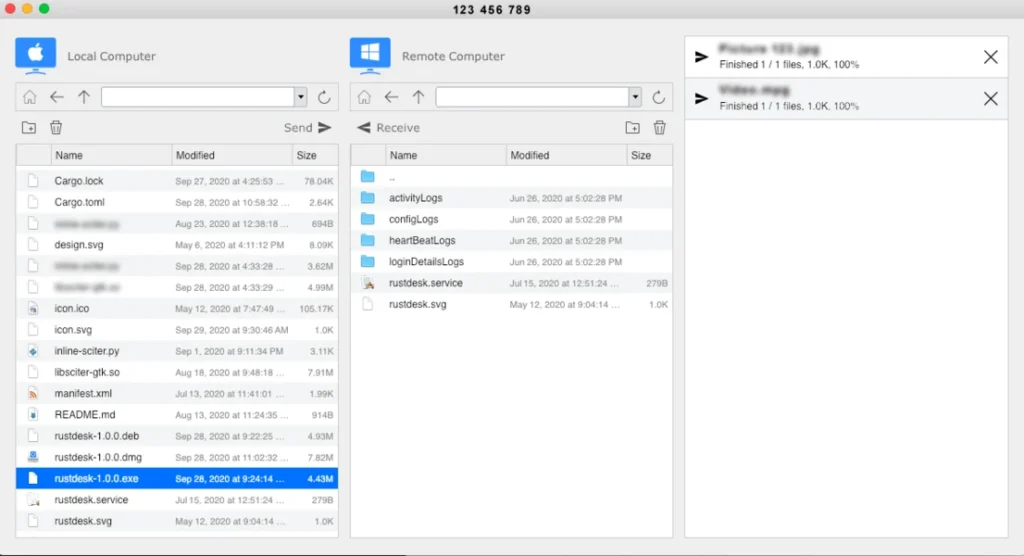
RustDesk supports unattended access, which means you can set up a remote device to accept connections without someone needing to physically approve each session. This makes it practical for IT support scenarios where you need to troubleshoot a machine outside working hours, or for accessing your own home or office computer when no one is there. File transfer between the local and remote devices is built directly into the session interface. You do not need a separate FTP client or shared drive setup to move files back and forth — it works through the same connection you are already using for screen control.
Key Features of Purslane RustDesk for Mac
- Free and open source remote desktop access
- Self-hosting support for full data control
- End-to-end encryption on every connection
- Built-in file transfer between local and remote devices
- Cross-platform support for Windows, Linux, macOS, iOS, and Android
- Clean interface with a short learning curve
- Works over the internet or on a local network
- Unattended access for remote support and IT work
Technical Specifications
- Software Name: RustDesk
- Software File Name: rustdesk-1.4.9-x86_64.dmg
- Version:4.9
- File Size:31 MB
- File Extension: DMG
- License Type: Premium
- Developer: Purslane
System Requirements
- Operating System: macOS 10.13 High Sierra or later
- Processor: Apple Silicon (M1, M2, M3, M4, M5) or Intel Core 64-bit
- RAM: 8 GB minimum, 16 GB recommended
- Storage: 500 MB free disk space
Best Alternatives to RustDesk for Mac
- AnyDesk — low-latency remote desktop with a polished interface; good for users who want a fast paid commercial option
- TeamViewer — the most established remote desktop tool, best suited for larger teams that need advanced admin controls and enterprise features
- Chrome Remote Desktop — free, browser-based tool from Google; requires a Google account and works best for quick, simple connections
- Jump Desktop — Mac-focused remote desktop app with strong Apple ecosystem integration; ideal for users already deep in the Apple environment
- Microsoft Remote Desktop — free tool for connecting to Windows machines from a Mac; limited to Windows as the remote target