
Download Audiofile Engineering Fidelia 2.7.1 for Mac free, latest full version, standalone offline DMG setup. Fidelia 2 for macOS is a high-resolution audiophile music player built for people who own their music files and want to hear them exactly as they were recorded — with bit-perfect playback, Audio Unit plugin hosting, headphone DSP, and a true direct path from file to DAC.
Audiofile Engineering Fidelia 2026 Overview
Most music apps on Mac are built around streaming. They want you browsing algorithm-driven playlists and discovering tracks through recommendation engines. Fidelia takes the opposite approach entirely. It is designed for the listener who already owns their music — folders of FLAC files, high-resolution downloads, ripped CDs — and wants to hear that collection with nothing added, altered, or compressed in between.
The app has a longer history than most. Fidelia was first released in 2011 and built a following among audiophile Mac users before nearly disappearing when many small Mac audio developers shut down. Rather than let it fade, the developer rebuilt it from scratch on a new Swift and C++ engine. Fidelia 2 carries the same identity and design language as the original while running on a completely rewritten foundation. If you are building a music-focused Mac setup, this pairs naturally with n-Track Studio Suite for Mac, which covers the recording and production side while Fidelia handles the listening end.
Bit-Perfect and Exclusive Playback
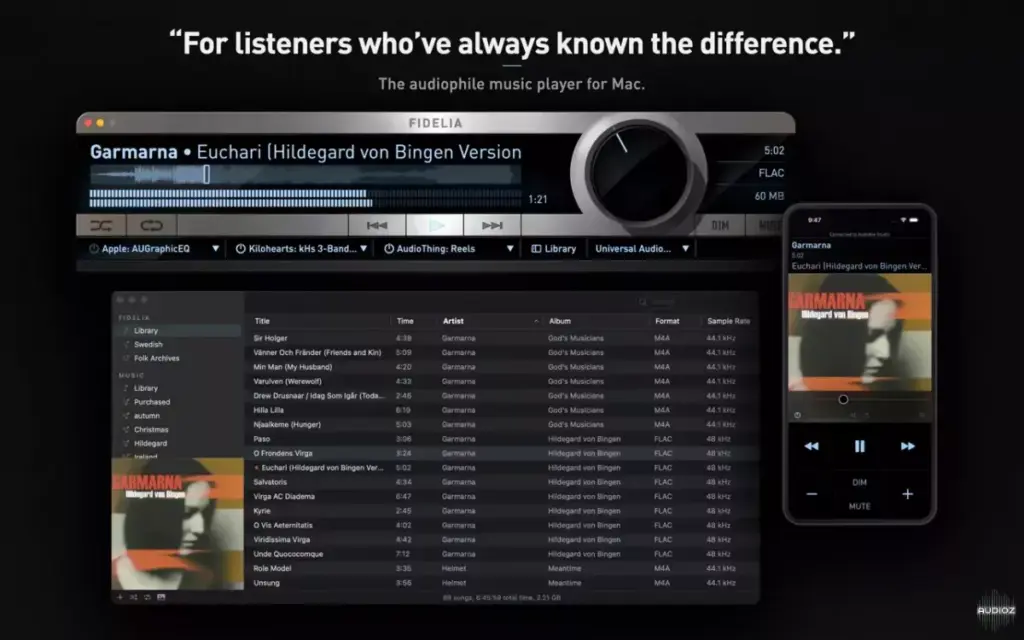
The core concern Fidelia addresses is trust. A significant number of Mac audio applications quietly resample audio files or pass them through the macOS system audio mixer without informing the user. Resampling and mixing can alter the signal in ways that are subtle or not so subtle, depending on the quality of the conversion. Fidelia does not do either unless you specifically ask it to.
In bit-perfect mode, audio data travels from the file directly to your digital-to-analog converter without any modification. In exclusive mode, Fidelia takes full ownership of the output device and prevents the operating system from routing any other audio through it. No system sounds, no notification chimes, no interference from any other application — just the file playing exactly as it was recorded. Sample rate follow mode automatically switches the output device’s sample rate to match each file as it plays, so a 44.1 kHz CD-quality track and a 192 kHz high-resolution recording are both played at their native rates without manual adjustment. Read More
HeadSpace Headphone DSP
Headphone listening presents a problem that most music players ignore. In a room with speakers, low frequencies from the left speaker reach the right ear with a slight delay, mid frequencies cross at a reduced level, and high frequencies stay mostly channel-specific. This is the natural acoustic behavior of sound moving through a physical space. Headphones reproduce left and right channels in complete isolation, which removes all of that natural crossfeed and makes mixes sound unnaturally wide, with instruments pinned hard to the left or right in a way that no speaker system would produce.
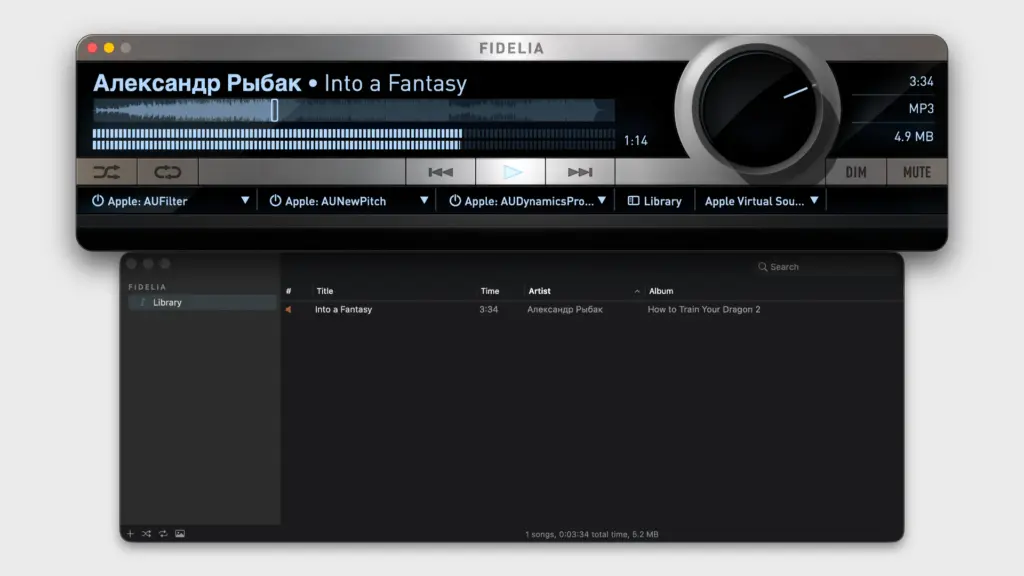
Fidelia’s HeadSpace feature reconstructs this acoustic crossfeed digitally, based on measurements of real head acoustics. Bass frequencies cross between channels at 90 percent, mid frequencies at 50 percent, and high frequencies at 15 percent. The result is a soundstage that behaves more like a speaker setup in a real room, even through headphones. The effect is adjustable and can be bypassed entirely for listeners who prefer standard headphone presentation.
Audio Unit Plugin Hosting
Most music players on Mac — even good ones — do not accept third-party audio plugins. Fidelia includes three Audio Unit plugin slots that run as part of the playback chain. You can load any AU plugin installed on your Mac — parametric EQ, room correction, crossfeed, reverb, convolution IR — and it processes the audio in real time before it reaches your output device.
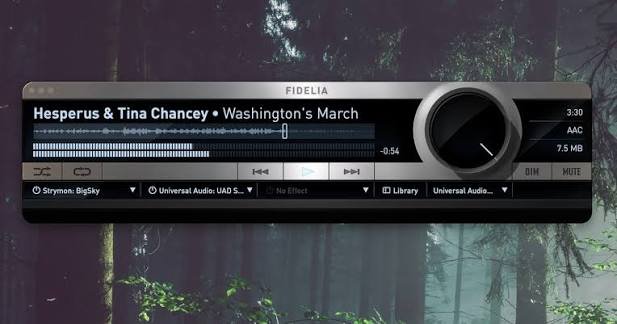
Each plugin runs in its own sandboxed process, which means a misbehaving or crashing plugin cannot bring down the music player with it. If a plugin fails, Fidelia keeps playing and flags the issue without interrupting your listening session. For audiophiles who use room correction software, headphone EQ profiles, or DSP plugins built around specific hardware, this plugin architecture makes Fidelia a practical platform for those workflows rather than just a basic player.
Library Management and Format Support
Fidelia supports FLAC, ALAC, WAV, AIFF, DSD, and Monkey’s Audio files, covering the full range of lossless and high-resolution formats in common use. Apple Music library sync imports your existing library with no manual reorganization required. Album Wall view displays your collection as a grid of cover art for visual browsing. Batch artwork lookup fills in missing or low-resolution artwork across a large library without requiring track-by-track attention.
Gapless playback — rebuilt on the new engine — eliminates clicks and silence between consecutive tracks, which matters significantly for albums recorded as continuous performances. Multi-channel output routing supports interfaces with up to 48 output channels for multi-speaker setups. Built-in format conversion handles output to AIFF, WAV, FLAC, Apple Lossless, AAC, and CAF. A free companion app, Fidelia Remote, provides iPhone and iPad control over the desktop player without switching windows.
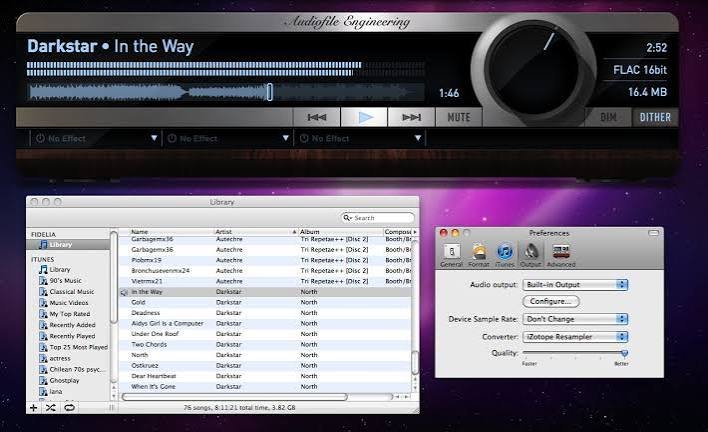
Key Features of Fidelia for Mac
- Bit-perfect playback — audio reaches the DAC with no modification
- Exclusive mode gives Fidelia full control of the output device
- Sample rate follows — output device automatically matches each file’s native rate
- HeadSpace headphone crossfeed DSP based on real head acoustic measurements
- Three Audio Unit plugin slots running in sandboxed, out-of-process mode
- Supports FLAC, ALAC, WAV, AIFF, DSD, and Monkey’s Audio formats
- Reference sample rate conversion with linear-phase and minimum-phase engines
- Pro Dither for artifact-free bit-depth conversion
- Apple Music library sync for instant import of existing libraries
- Album Wall view for cover-art-based library browsing
- Batch artwork lookup for untagged or large libraries
- Gapless playback rebuilt for zero clicks or gaps between tracks
- Multi-channel output routing for up to 48-channel interfaces
- Built-in format conversion to AIFF, WAV, FLAC, Apple Lossless, AAC, and CAF
- Fidelia Remote — free iPhone and iPad companion control app
- Fully customizable keyboard shortcuts
Technical Specifications
- Mac Software Full Name: Audiofile Engineering Fidelia for macOS
- Setup File Name: Audiofile-Engineering-Fidelia-2.7.1.dmg
- Version: 2.7.1
- Full Setup Size: 18 MB
- File Extension: DMG
- License Type: Full Premium Pro Version
- Setup Type: Offline Installer / Full Standalone DMG Package
- Compatibility Architecture: Apple Silicon and Intel
- Developer: Audiofile Engineering
System Requirement
- Operating System: macOS 10.13 High Sierra or later
- RAM: 8 GB minimum, 16 GB recommended
- Free Disk Space: 500 MB
- Processor: Apple Silicon (M1, M2, M3, M4, M5) or Intel Core 64-bit
Best Alternatives to Fidelia for Mac
- Audirvana — audiophile-focused player with streaming service integration (Tidal, Qobuz); suits listeners who want high-res local playback alongside a streaming library
- Swinsian — lightweight, well-organized music manager focused on library handling rather than DSP; a clean iTunes replacement for users who do not need plugin hosting
- VOX — modern interface with lossless format support and cloud storage playback; better suited to casual listeners who still want high-resolution audio
- foobar2000 — highly customizable player with a long history, now available on Mac; best for advanced users who prefer building a custom setup through plugins and skins
- Colibri — minimal, elegant Mac music player with gapless playback and lossless support; lacks plugin hosting but has a cleaner interface for straightforward listening
Fidelia stands apart through its combination of bit-perfect exclusive playback, sandboxed AU plugin hosting, HeadSpace headphone DSP, and native Apple Silicon support — a feature set no other Mac music player currently matches in full.