Download Noir 2026.1.7 for Mac free, latest full version, standalone offline DMG setup. Noir for macOS is a Safari extension that automatically applies a smooth, natural dark mode to every website you visit — no manual setup, no per-site clicking, no bright white screens.
Noir for Mac 2026 Overview
macOS Dark Mode darkens your desktop, your apps, and your system UI — but it cannot force websites to follow along. Most websites are built with white backgrounds and dark text, and they stay that way no matter what your system setting is. The result is a jarring jump from a dark desktop into a blinding white webpage every time you open Safari. For anyone who spends long hours in front of a screen, especially at night, this adds real eye strain over time. Noir fixes this at the Safari extension level. The moment a page starts loading, Noir reads its colors and structure and builds a matching dark theme before the page finishes rendering. By the time you see the content, the dark mode is already in place. There is no visible flash of white, no button to press, and no per-site configuration required unless you want it.
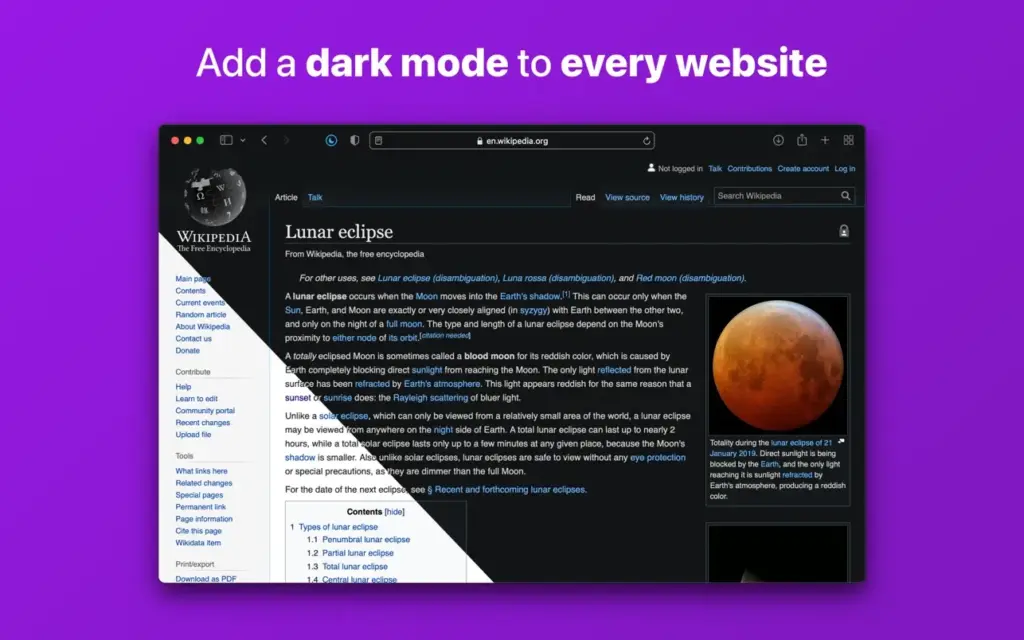
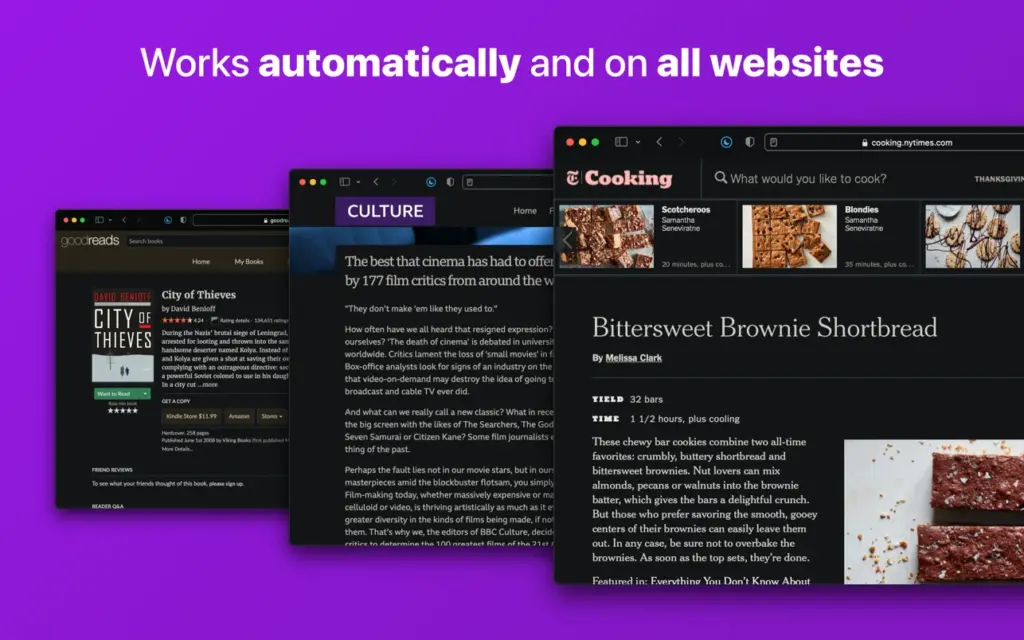
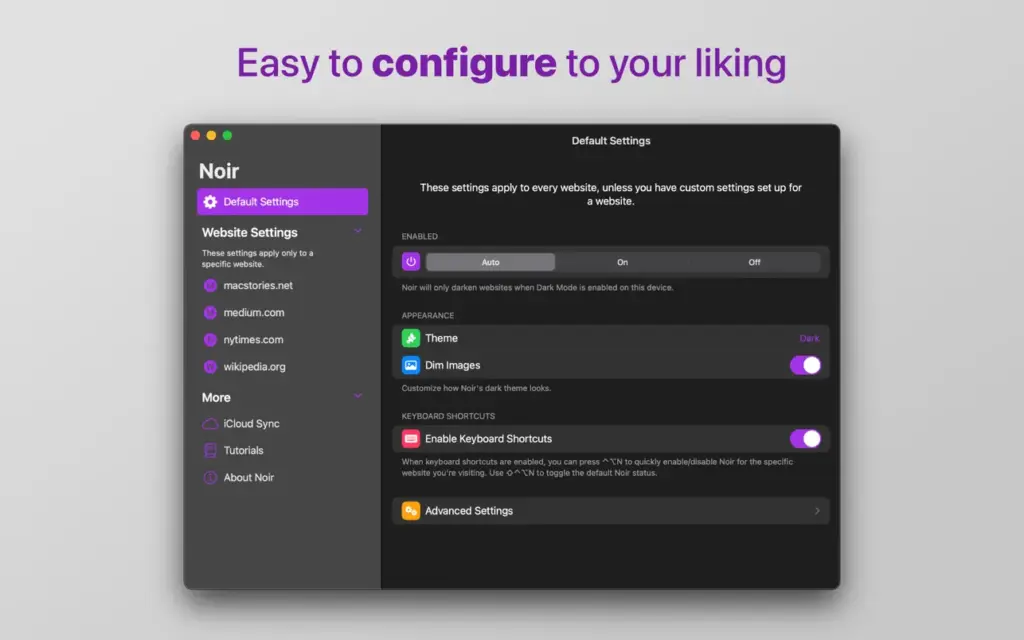
What makes Noir stand out from simple dark overlays is how carefully it handles contrast and readability. Rather than slapping a dark filter over everything, it analyzes each page individually and rebuilds the color relationships — keeping text legible, preserving meaningful highlights, and treating images separately with optional dimming. The result looks like a dark mode that was designed for the site rather than forced onto it. By default, Noir follows your Mac’s system appearance. When you switch to Dark Mode, Noir activates. When you switch back to Light Mode, it steps aside. You can override this at any time — keep Noir always on, always off, or set custom rules for individual websites that already have their own good dark mode built in. You can also download 1Capture Screenshot for Mac.
Key Features of Noir for Mac 2026
- Automatic Dark Mode for Every Website: Noir automatically applies a dark theme to every website you open in Safari. There is no list to manage, no per-site toggle to click, and no setup required after installation. It runs quietly in the background and handles every page on its own.
- Custom Themes and Theme Library: Noir ships with more than 20 ready-made themes to choose from. If none of them fit your preference, you can build your own by picking custom background and text colors, and by adjusting how strongly images are dimmed or converted to grayscale. Any theme you create can be shared with other Noir users through a shareable link.
- Per-Website Controls: Not every website needs Noir. Some already have a well-built dark mode, and forcing a second one on top creates conflicts. Noir lets you set individual rules for any site — keeping it off where it is not needed, or forcing it on for sites that claim dark mode support but do not actually deliver it. All of these controls are located in the Noir menu directly within Safari.
- iCloud Sync Across Apple Devices: Every setting, per-site rule, and custom theme you configure in Noir syncs to your other Apple devices through iCloud. A rule you set on your Mac appears on your iPhone and iPad without any manual transfer. Your preferences follow you automatically across your entire Apple ecosystem.
- Control Center and Menu Bar Access: Noir can be pinned to your Mac’s Control Center or menu bar, giving you a one-click toggle from anywhere on your system. You do not need to open Safari or dig into settings to turn it on or off. This feature arrived with the 2025 update and is one of the most convenient improvements the app has received.
- Web Apps Support on macOS Sequoia and Later: macOS 15 Sequoia introduced the ability to save websites as standalone apps directly in your Dock. Noir now extends its dark mode into these Web Apps as well. To enable it, go to the Web App’s settings and activate it under the Extensions pane. This is handled by a companion extension called Noir for Web Apps, which installs automatically alongside the main app.
- Privacy-First Design: Noir needs to read every page you visit to analyze its colors and build a matching dark style. However, none of that information is stored or sent to any server. Everything stays on your device or within your private iCloud account. No browsing data is collected at any point.
Technical Specifications
- Software Name: Noir
- Software File Name: Noir_2026.1.7_MAS.dmg
- Version: 2026.1.7
- File Size: 12 MB
- File Extension: DMG
- License Type: Premium
- Developer: Jeffery Kuiken
System Requirements
- Operating System: macOS 12.0 or later (Apple Silicon) / macOS 10.15 or later (Intel)
- Processor: Apple Silicon (M1 or later) or Intel Core 64-bit
- RAM: 2 GB minimum
- Free Disk Space: 100 MB
Best Alternatives to Noir for Mac
- Dark Reader — free extension for Safari, Chrome, and Firefox; no iCloud sync or native macOS interface, but the best cross-browser option
- Neo Noir — simpler, free Safari dark mode extension without custom themes or per-site controls; good for basic needs
- Darkness — hand-crafted dark themes for popular sites like Gmail, YouTube, and Google; it does not cover all websites automatically
- Silenz — not a dark mode tool, but a useful Safari utility for users looking for other lightweight Safari productivity extensions